More than 10 ways to take a screen capture
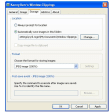
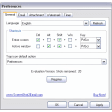
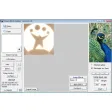
Super Screen Capture is a nice, trial version Windows program, that is part of the category Design & photography software with subcategory Screen Capture.
More about Super Screen Capture
About the download, Super Screen Capture is a light software that requires less free space than the average program in the section Design & photography software. It's a software very heavily used in India, Brazil, and Vietnam.
The current version of the program is 4.0 and it has been updated on 11/28/2007. It's available for users with the operating system Windows 95 and former versions, and you can download it only in English.
Since the program has been added to our selection of programs and apps in 2006, it has achieved 2,653 downloads, and last week it gained 21 installations.
Fixed - Can't capture window screen sometimesFixed - Can't capture when scroll at the windowFixed - Can't delete image from image edit toolsFixed - Optimize image crop toolFixed - Some bugs
Changes
Fixed - Can't capture window screen sometimesFixed - Can't capture when scroll at the windowFixed - Can't delete image from image edit toolsFixed - Optimize image crop toolFixed - Some bugs


























User reviews about Super Screen Capture
by Anonymous
I will hold my final decision until the reported problem is fixed. .
Potentially excellent, but I have a concern. I bought a copy of this software and was initially impressed. Alas, when I run the program and close it, it will not allow me to open it until I restart the computer -- Windows XP Professional, with no such problem with any other program. I pointed this out to the creators several weeks ago, hoping for a solution. To date they have not as much as acknowledged my e-mail!
Pros:
the fact that it saves captured material directly to MS Word.
Cons:
I need to be able to reopen the program without having to restart my computer. Very annoying! More